Analyze confidential documents without uploading them.
Review a 200-page NDA or credit agreement without it ever touching a server. Cross-reference privileged documents offline and evaluate the workflow on one of your own files.
See it in action
A clear answer, grounded in your files.
Your trial starts after installation and secure account sign-in. No recurring subscription is required.
Trial proof points
100%
local document processing
0
cloud uploads for document processing
7 days
to test it with no credit card
What you can test
Useful answers with a verifiable source.
Local by default
Your files, prompts, and AI processing stay on your machine after setup.
Citations included
Jump from an answer to the relevant page in the original PDF.
One real test
No card, recurring fee, or sales call required to evaluate the product.
Start here
Try it on one sensitive document.
Download the installer. Create your account inside the app after installation.
Introductory $249 pricing is available during the launch period. Standard pricing is $349 when the launch offer ends. Limited to the first 50 licenses.
Setup Guide
Up and Running in 5 Steps
From download to your first private AI conversation in a few minutes. Pick your platform to follow along.
Download the app
Click “Download for macOS” above. The PrivateDocs AI installer (.dmg) is saved to your Downloads folder.
Security & Verification
Notice for Windows Users
Because PrivateDocs AI is a newly released application, Microsoft SmartScreen may display a "Windows protected your PC" popup during installation. This is a standard warning for new executables while they build reputation.
Apple notarization
Supported macOS releases are notarized by Apple. Gatekeeper checks the release before allowing it to run.
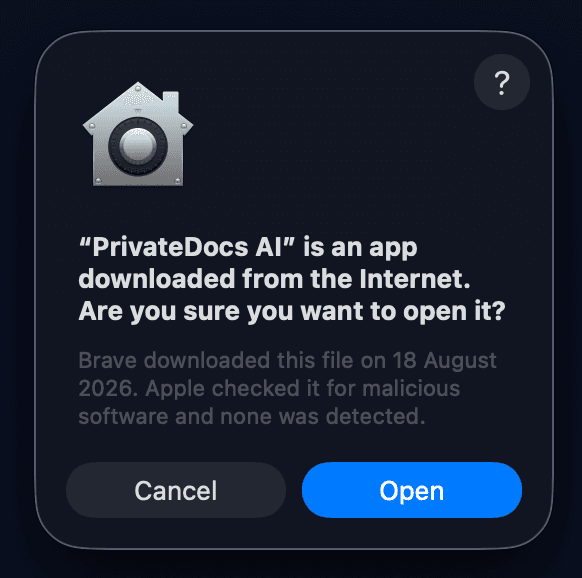
Security
Release artifacts are code-signed on macOS and Windows. Verify the signature and published hash for the specific release before running it.
Scan the installer with tools like VirusTotal, or compare the cryptographic hash against the official hashes published on our latest GitHub release page.
Get-FileHash -Path .\PrivateDocs.AI_<version>_x64-setup.exeQuestions before you try it
Does the trial require a credit card?+
No. Downloading and using the 7-day trial does not require a credit card.
Where are my documents processed?+
Document indexing and AI inference run locally on your computer after setup.
Can it work without Wi-Fi?+
Yes, once setup and required model downloads are complete. Account and licensing services may still require internet access.
What hardware is supported?+
Apple Silicon Macs and Windows 10/11 64-bit PCs are supported. At least 8GB RAM is recommended; 16GB provides a better experience.
What happens after seven days?+
The trial ends and the lifetime license is available for $249 one time during the launch offer, before the standard $349 price. The launch price is limited to the first 50 licenses.
Run one private document through it.
Free for 7 days. No sales call. No recurring subscription required to test it.
$249 one-time launch price · $349 standard price · First 50 licenses